
Feature Configuration
Emulator
Emulator path, launch wait time, multi-instance setup, emulator type, and connection issues.
Emulator settings let BAAS start an emulator and target the correct instance.
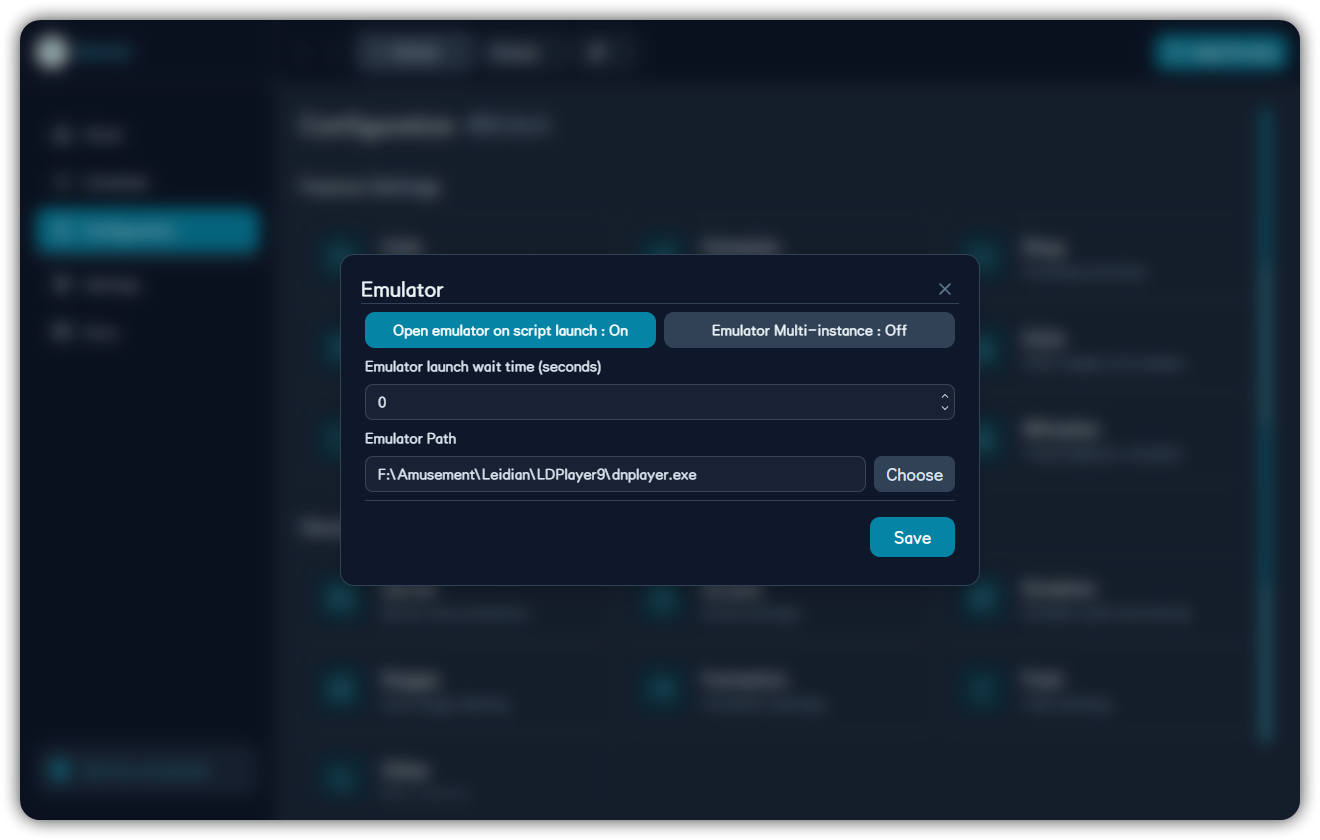
| Option | Purpose | Common Issue |
|---|---|---|
| Open emulator on script launch | Start emulator with scheduler | Wrong path prevents launch |
| Startup wait time | Wait for initialization | Too short causes ADB failure |
| Emulator path | Executable path | Avoid helper binaries |
Multi-instance
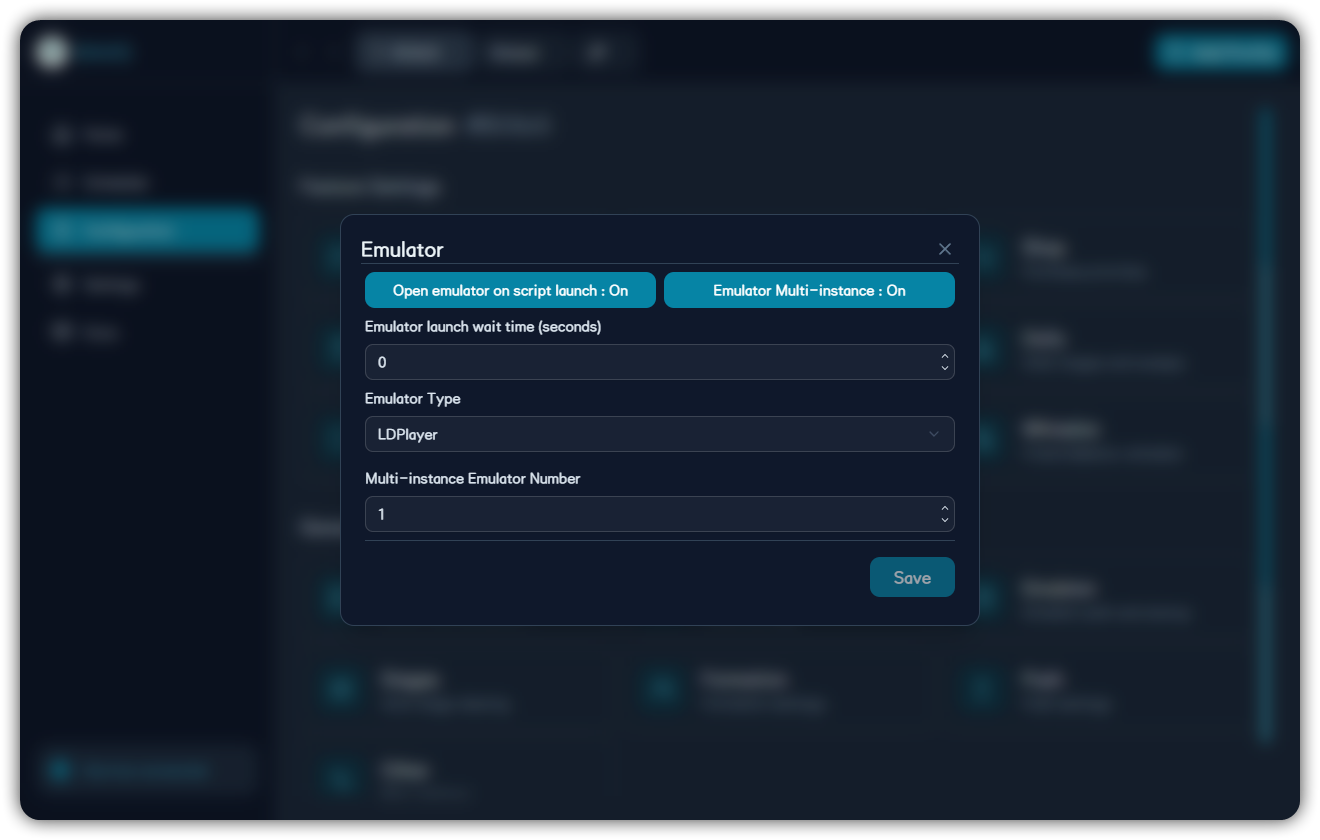
When multi-instance mode is enabled, emulator type, instance index, and ADB port must match. Supported types include MuMu, MuMu Global, LDPlayer, BlueStacks, BlueStacks Global, Nox, MEmu NAT, and Windows Subsystem for Android.
ADB Port Reference
When automatic scanning cannot find the device, fill the ADB port manually. Common legacy backend defaults:
| Emulator | Default Port |
|---|---|
| MuMu 12 5.0+ | 5555 |
| MuMu 12 | 16384 |
| Older MuMu | 7555 |
| LDPlayer | 5555 |
| BlueStacks | 5555 |
| MEmu | 21503 |
| Nox | 62001 or 59865 |
Multi-instance ports usually increase by instance number:
| Emulator | Port Formula |
|---|---|
| MuMu 12 5.0+ | 5555 + instance number * 2 |
| MuMu 12 | 16384 + instance number * 32 |
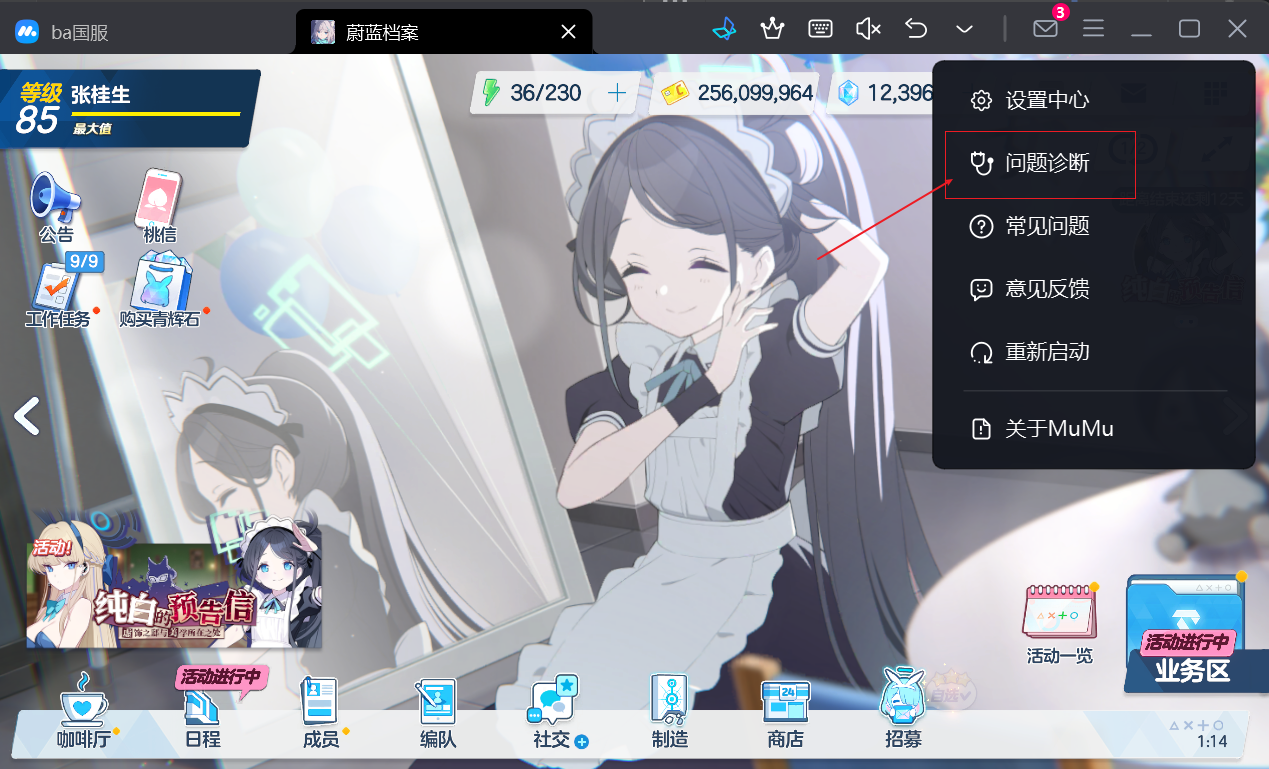
BlueStacks, LDPlayer, and similar emulators may require enabling ADB debugging in emulator settings. Debug with one instance first, then configure multi-instance.