
Feature Configuration
PC Client Platform
Steam Global, JP PC client, window ratio, HDR, screenshot method, and control method.
The PC client is not an ADB emulator workflow. BAAS needs desktop screenshots and mouse control, so window ratio, HDR, permissions, and control method are more sensitive than in emulator setups.
Validate the display first
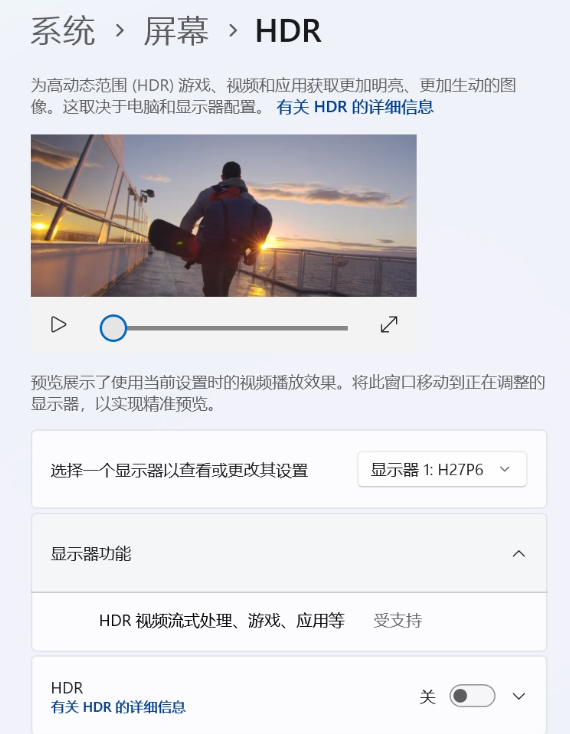
The PC client must keep a 16:9 image ratio. A stretched window, enabled HDR, an occluded game window, or a window moved outside the screen can break recognition and clicking.
System and Game Settings
| Item | Recommended Value | Reason |
|---|---|---|
| Windows HDR | Off | HDR changes screenshot colors and affects template matching |
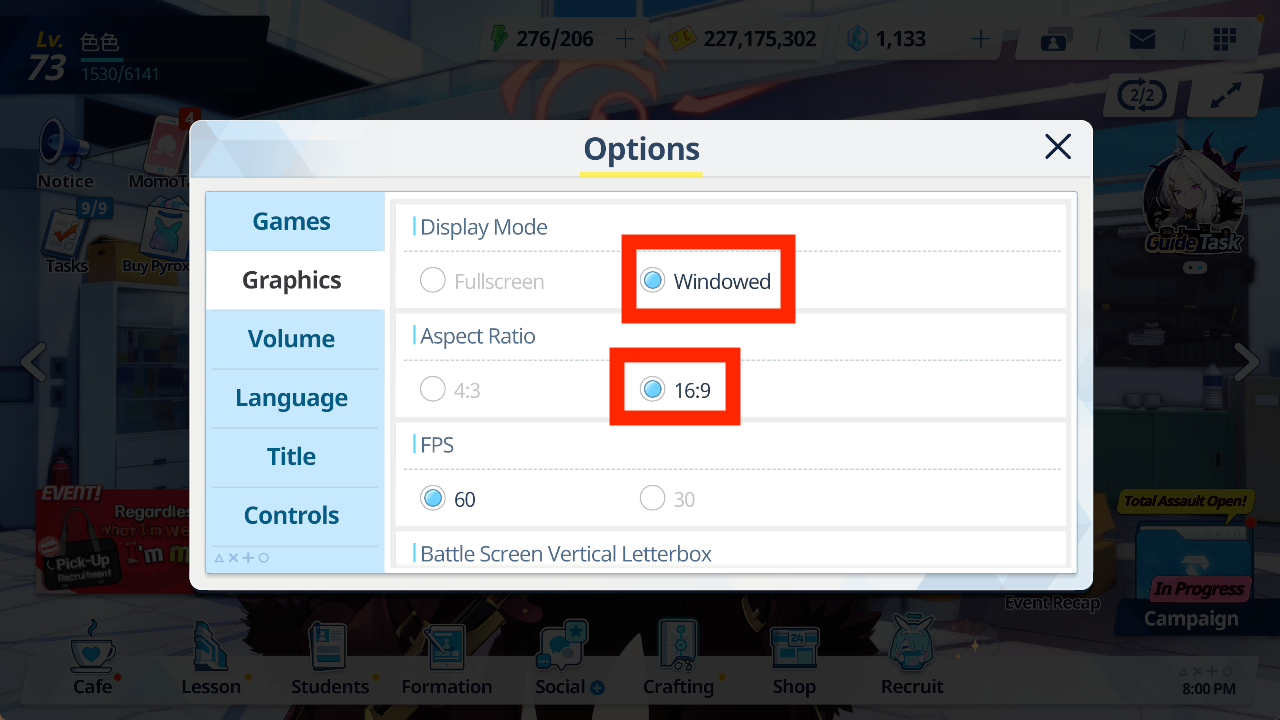
| Game display mode | Windowed or 16:9 fullscreen | The screenshot region must stay stable |
| Window ratio | 16:9, preferably 1280x720 | BAAS recognition regions are designed around 16:9 |
| Frame rate | 60 | Stable response without unnecessary load |
| Accelerated rendering | Compatible | Reduces screenshot issues |
| Combat letterbox bars | Off | Prevents recognition-region offsets |
BAAS Configuration
Recommended PC-client setup:
| Location | Recommended Setting | Notes |
|---|---|---|
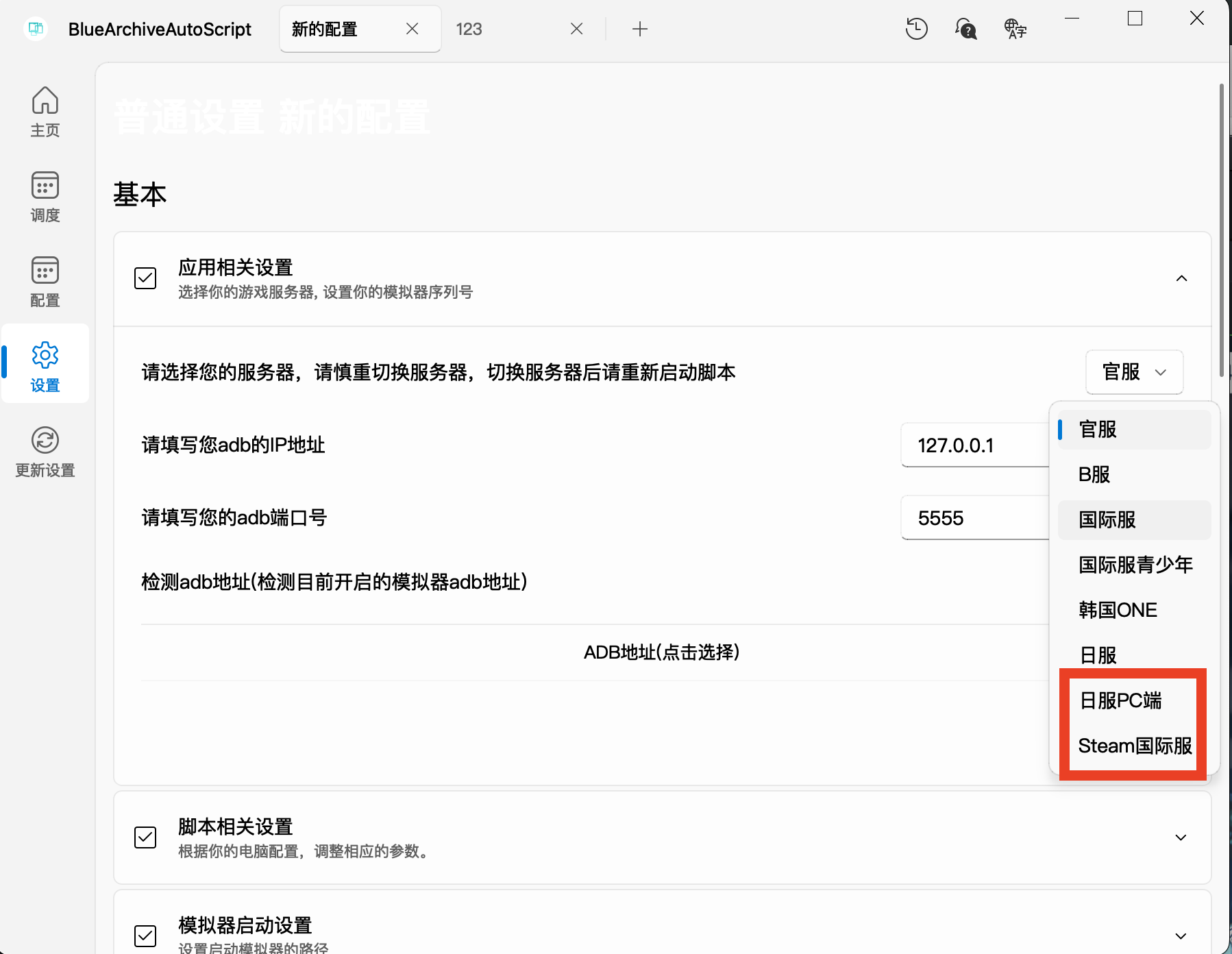
| Server | Steam Global or JP PC | Server controls recognition resources and task behavior |
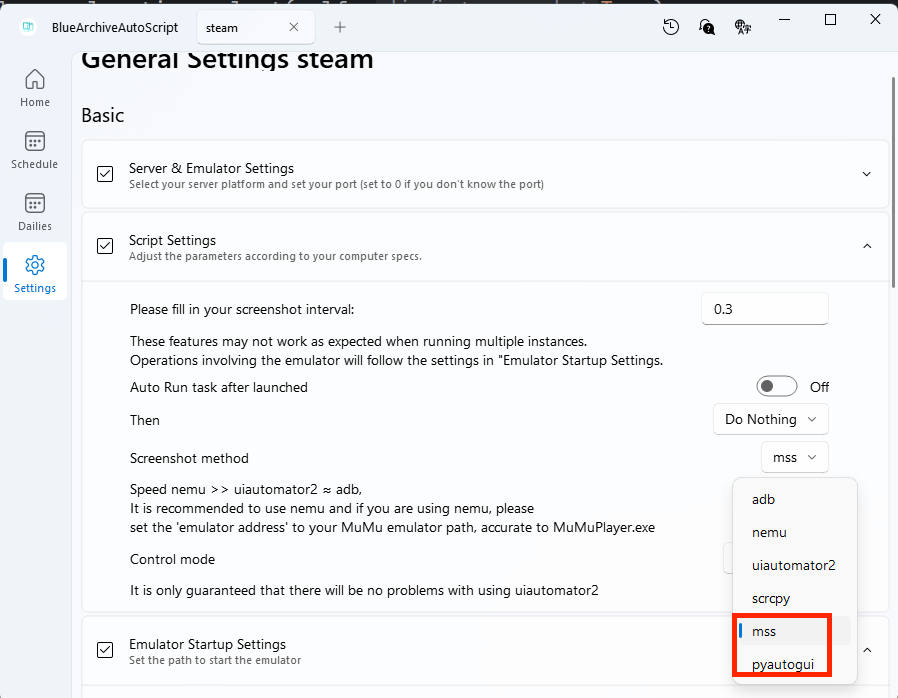
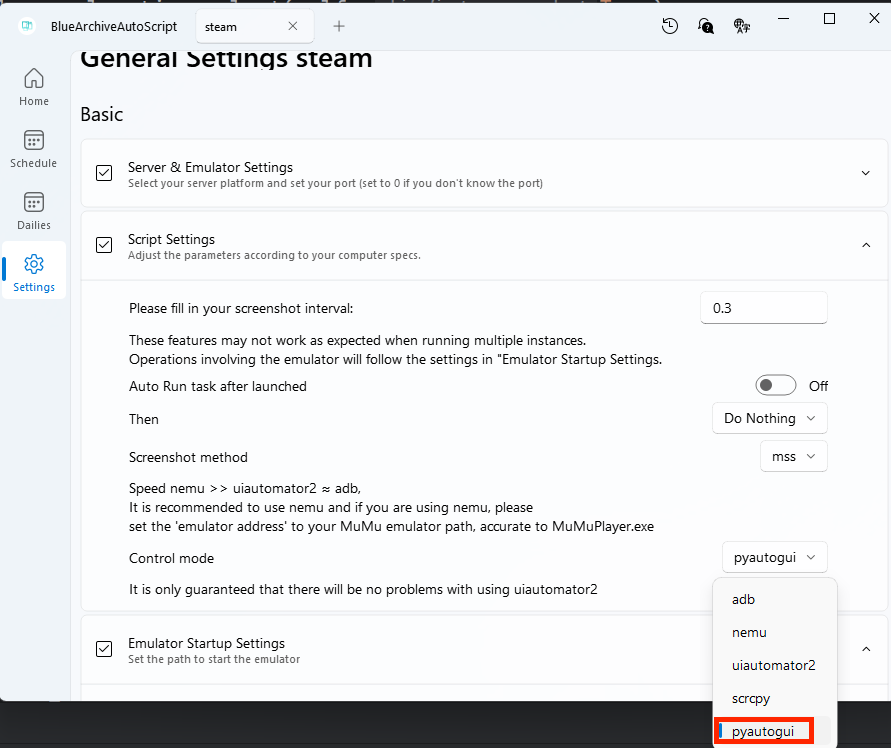
| Script / Screenshot method | mss or pyautogui | PC window capture does not use ADB |
| Script / Control method | pyautogui | BAAS controls the desktop mouse and keyboard |
| Permission | Run BAAS as administrator when needed | Check this when logs show clicks but the game does not respond |
Common Issues
| Symptom | Check First |
|---|---|
| Logs show clicks but the game does not react | Restart BAAS as administrator and keep the window visible |
| Logs report an invalid screen ratio | Restore a 16:9 window; do not stretch it manually |
| Recognition fails often | Disable HDR and confirm game language/server settings |
| The mouse is occupied by BAAS | PC control is real desktop input; avoid taking focus while it runs |

During PC-client automation, BAAS tries to keep the target window in front. If you need to use the computer at the same time, prefer an emulator with ADB control.