
Updates
Version information, update source, update channel, MirrorC CDK, SHA tests, and client update.
Update settings show backend and Tauri client version state, and choose update source and channel.
For detailed client changes, affected areas, and upgrade notes by version, see Release History.
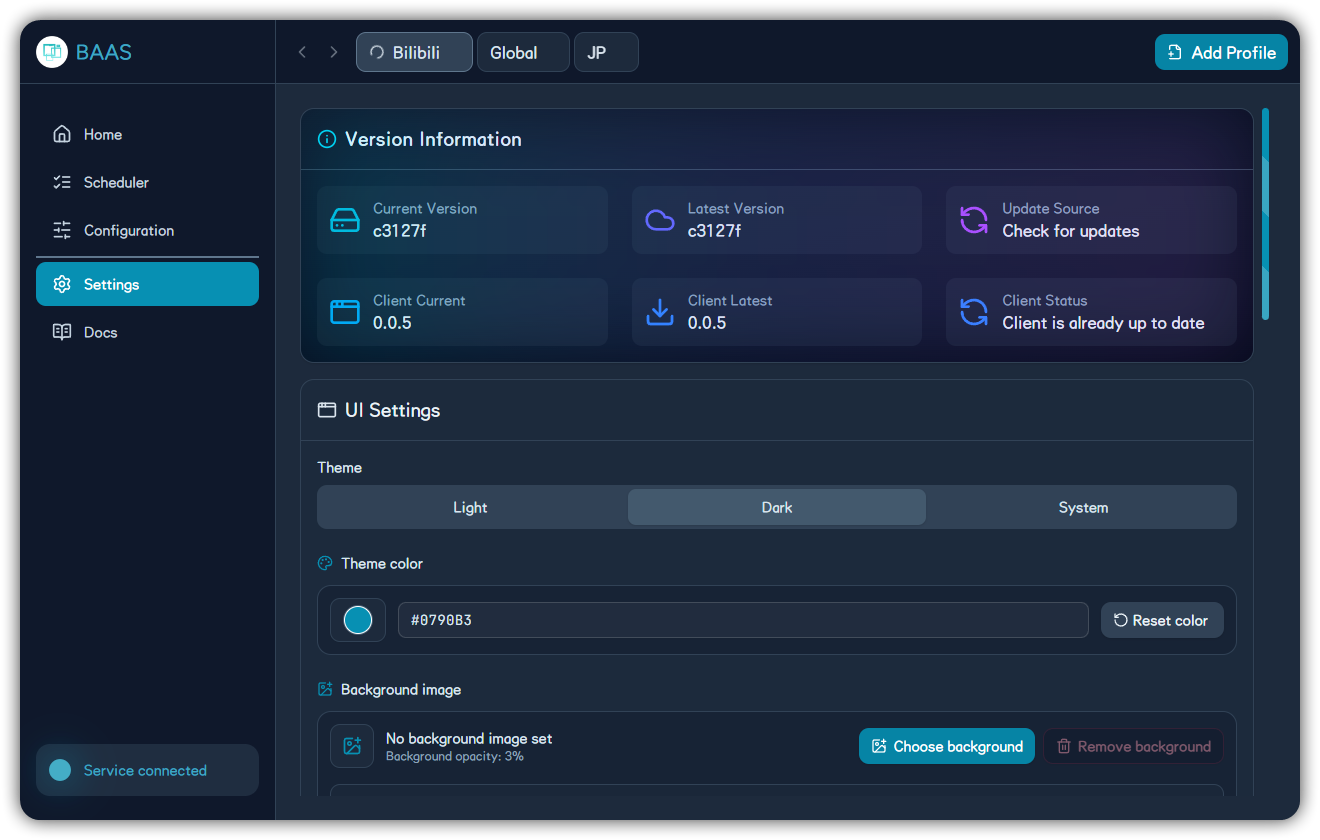
Update Settings
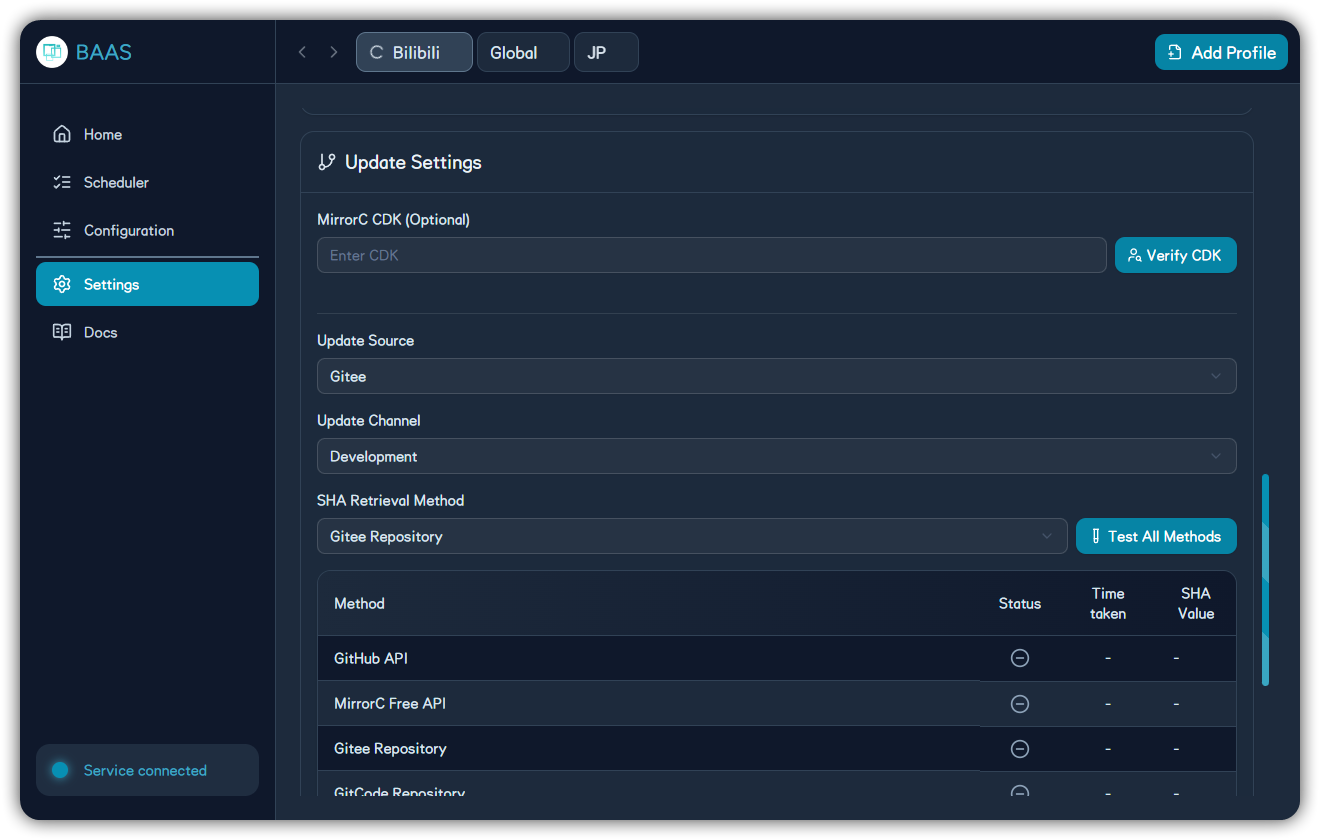
| Channel | Audience | Notes |
|---|---|---|
| Stable | Daily users | Prefer stability |
| Development | Testers / maintainers | Faster features, more regression risk |
Update Targets
| Target | Notes | Troubleshooting |
|---|---|---|
| Tauri desktop client | Windows, macOS, Linux shell and frontend UI | Release History |
| BAAS backend | Python backend, task execution, screenshot recognition, and update source | setup.toml |
| Android client | APK, bundled backend, foreground service, and notification script toggle | Android Client |
Recommended Update Order
Check Version Information
Confirm backend version, client version, and current profile state before updating. Avoid replacing files while tasks are running.
Choose Update Channel and Source
Use Stable for daily use. If GitHub access is unreliable, switch to an available mirror or MirrorC.
Run the SHA Test
Use the SHA test to confirm that the selected source can fetch version metadata. If it fails, switch source and test again before updating.
Stop Scheduling and Update
Stop running tasks before updating, so backend files, logs, and runtime state are not changed mid-task.
Restart and Verify Version
After the update finishes, restart the client or backend and return to the version area to confirm the new version is active.