
Server
Game server, server-specific behavior, ADB address, and ADB detection.
Server settings decide which recognition rules and task behavior BAAS uses. The selected server must match the actual game client.
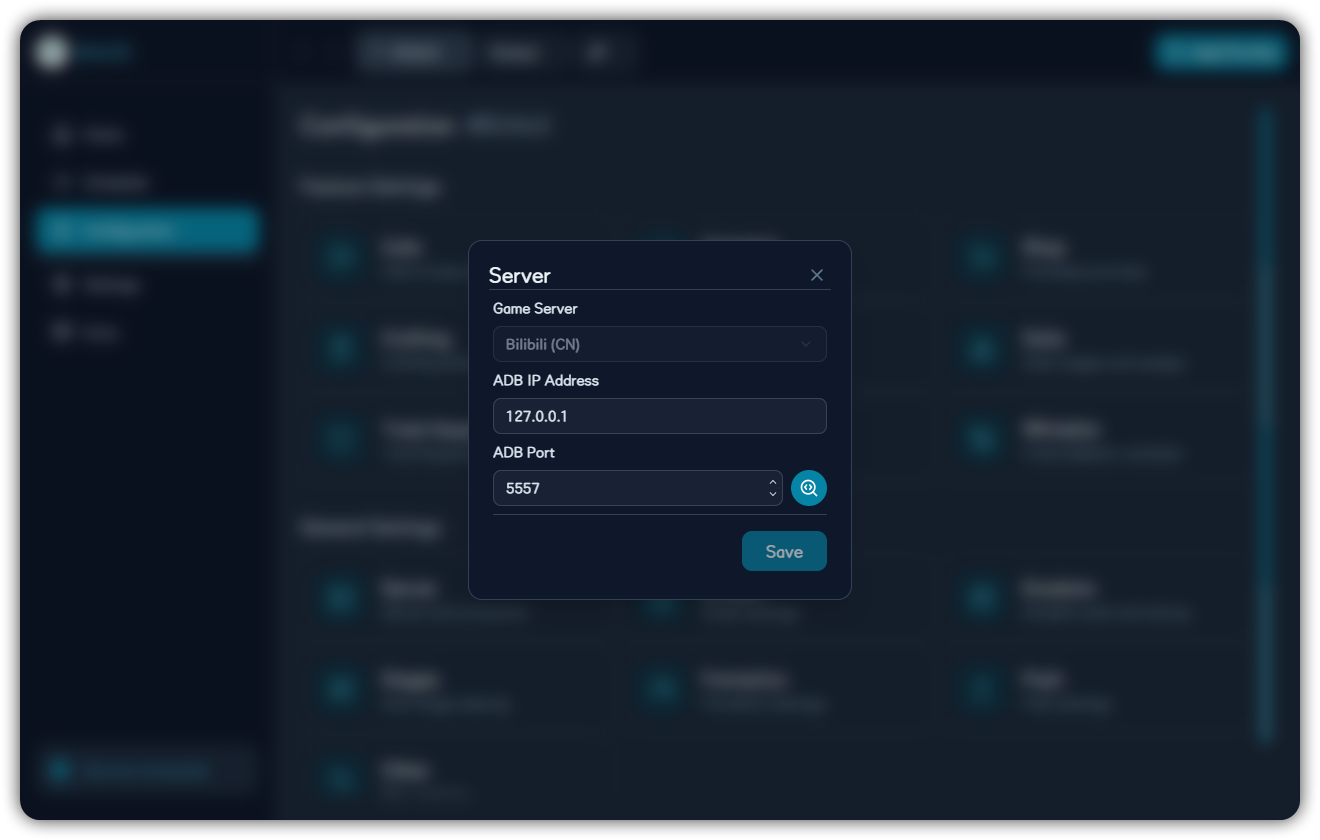
| Server | Description |
|---|---|
| CN official | Mainland China official client |
| CN Bilibili | Bilibili client |
| Global | Global client |
| Global teen | Global teen client |
| JP | Japanese client |
| KR ONE | Korean ONE client |
ADB Detection
Local emulators commonly use 127.0.0.1; multi-instance emulators usually use different ports. Run ADB detection and choose the online device.
Select Game Server
Choose the server that matches the actual game client. A mismatch can affect recognition assets, feature entry points, and task behavior.
Set ADB IP
Local emulators usually use 127.0.0.1. Use another address only for remote devices or special bridge setups.
Set or Detect Port
Single-instance and multi-instance emulators can use different ports. Prefer ADB detection to confirm the online device before saving the port.
Continue Emulator Configuration
After the device is detected, configure emulator and script settings. If no device is found, check emulator ADB, port, multi-instance mapping, and control method.